Firstly, Congratulations on getting RoverLink for your Pet Dog, your Paws are in Safe Hands! 💚
1) To get started download the CoolPet app available both on Play Store & App Store, links are given below;
• Play Store: https://play.google.com/store/apps/details?id=com.seeworld.coolpet
• App Store: https://apps.apple.com/in/app/coolpet-alwaysthere-alwayscare/id6746186913
App Icon;

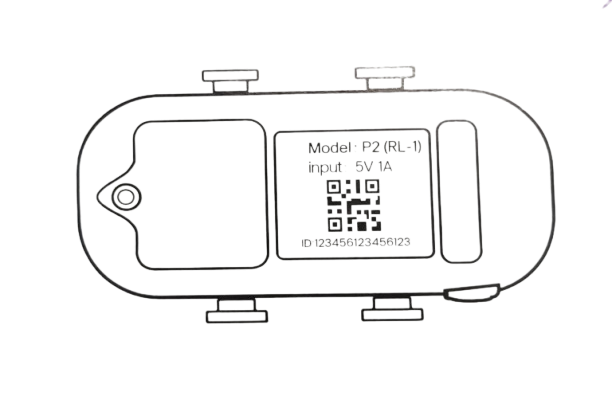
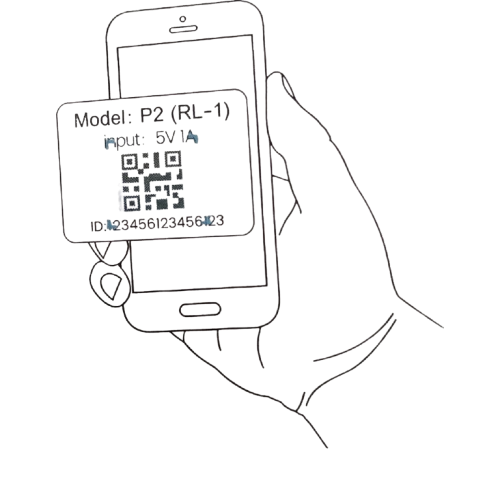
2) After Downloading the App, open it, the app will guide you to Bind the RoverLink Tracker with the App via Scanning the QR (on the app) on the back of the tracker, pairing it via bluetooth to bind or manually entering the ID on the back of the Tracker.

3) After Succesfully Binding the App with the Tracker, Sign-Up on the App. You can make a password for CoolPet associated with the email Id provided or Sign-In via Gmail.

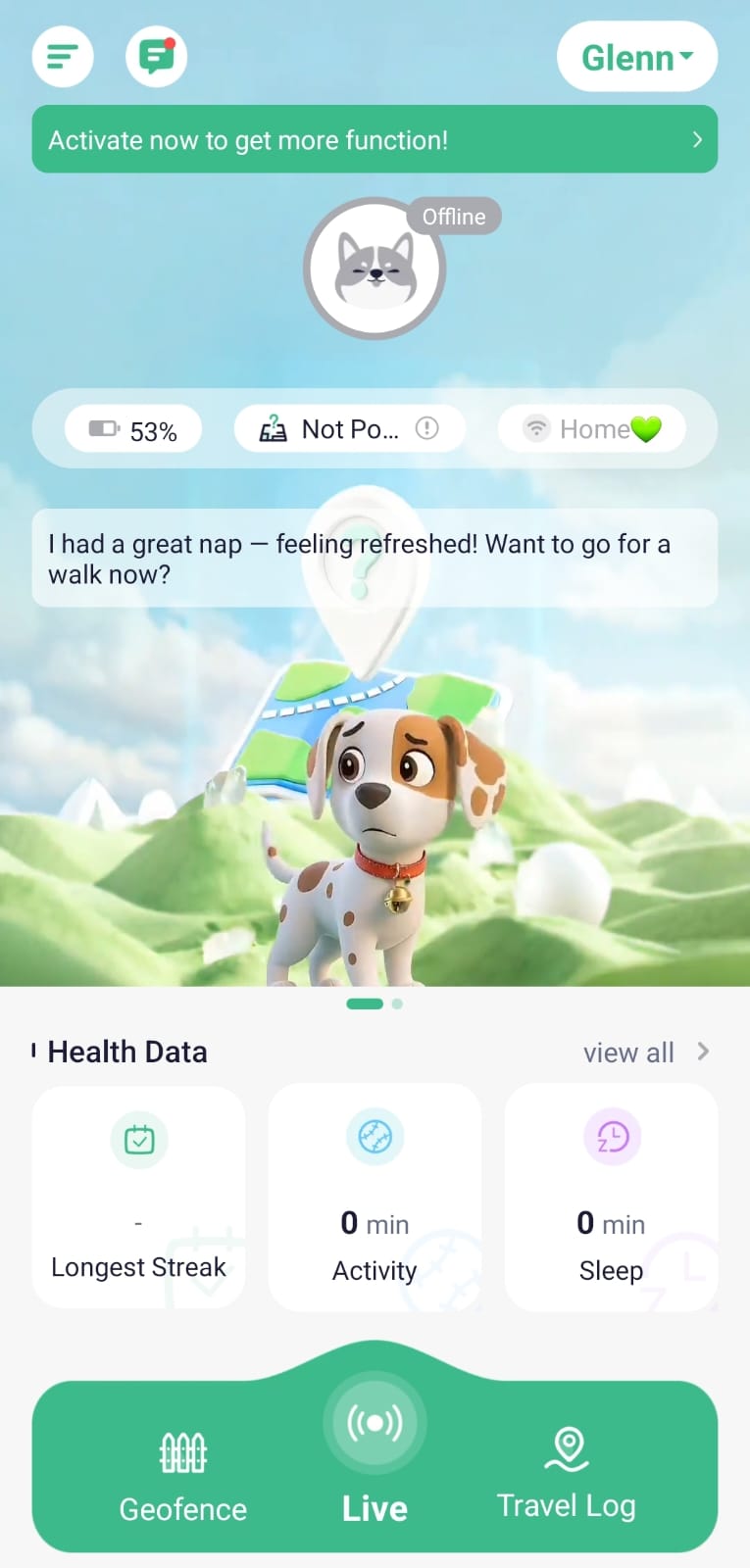
4) Now you will be in the Homescreen of the App, It will show a message on top "Activate now to get more function!", this simply means you need a Subcription Plan for the Tracker to use it, otherwise only some foundational features will be available, click on that message or head to 'Tracker Plans' in the menu. Select the suitable plan & procced to checkout (Prices are showed in Dollars but in the final checkout page they are converted to INR) - you can pay via any option you find suitable.

.jpeg)
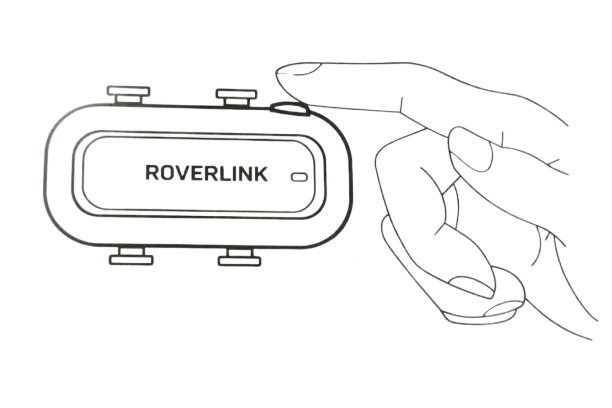
5) Applicable for First time use; Power On the tracker by pressing the power button for 3 seconds, the white indicator light will light up and the tracker will make a beep sound. Tracker is successfully on. After that the Tracker goes in auto mode, you don't need to Turn it on or off.

6) Now to activate the SIM present in the Tracker, send your IMEI number/ID to support@roverlink.in. We will activate it, without SIM activation the tracker won't work.
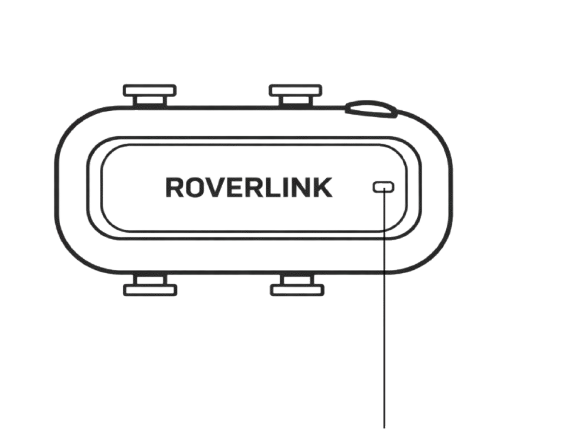
7) LED Indicator Status:

🔵Blue Light - Flashing: Network Connected & searching for satellite signal.
🟡Yellow Light - Flashing: Searching for Network & Satellite locked.
⚪White Light - Flashing: Pet Light Search Enabled.
🔴Red Light (On Charge only) - Flashing: Charging ; Solid: Fully Charged.
Note: Underground parking lots, tall buildings and locations with many network obstructions will have a greater impact on communication signals and GPS signals, and may cause inability to locate or inaccurate location positioning. Refer to the actual working environment where your Dog will most likely to be.
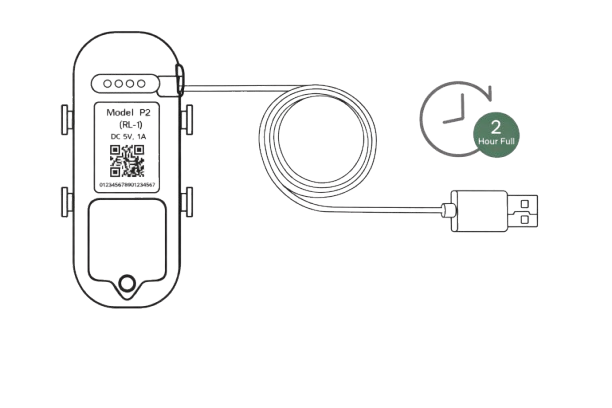
8) Charging: Connect the charging cable to the tracker (Golden Magnetic Pins on the back of the tracker) in the magnetic direction, and select a compliant power adapter to charge the tracker.

Note:
1. Please use a compliant power adapter for charging. Voltage: 5V & Current: 1~3A.
2. It is recommended to fully charge the battery before first usage, although we fully charge them in factory before shipping it to you.
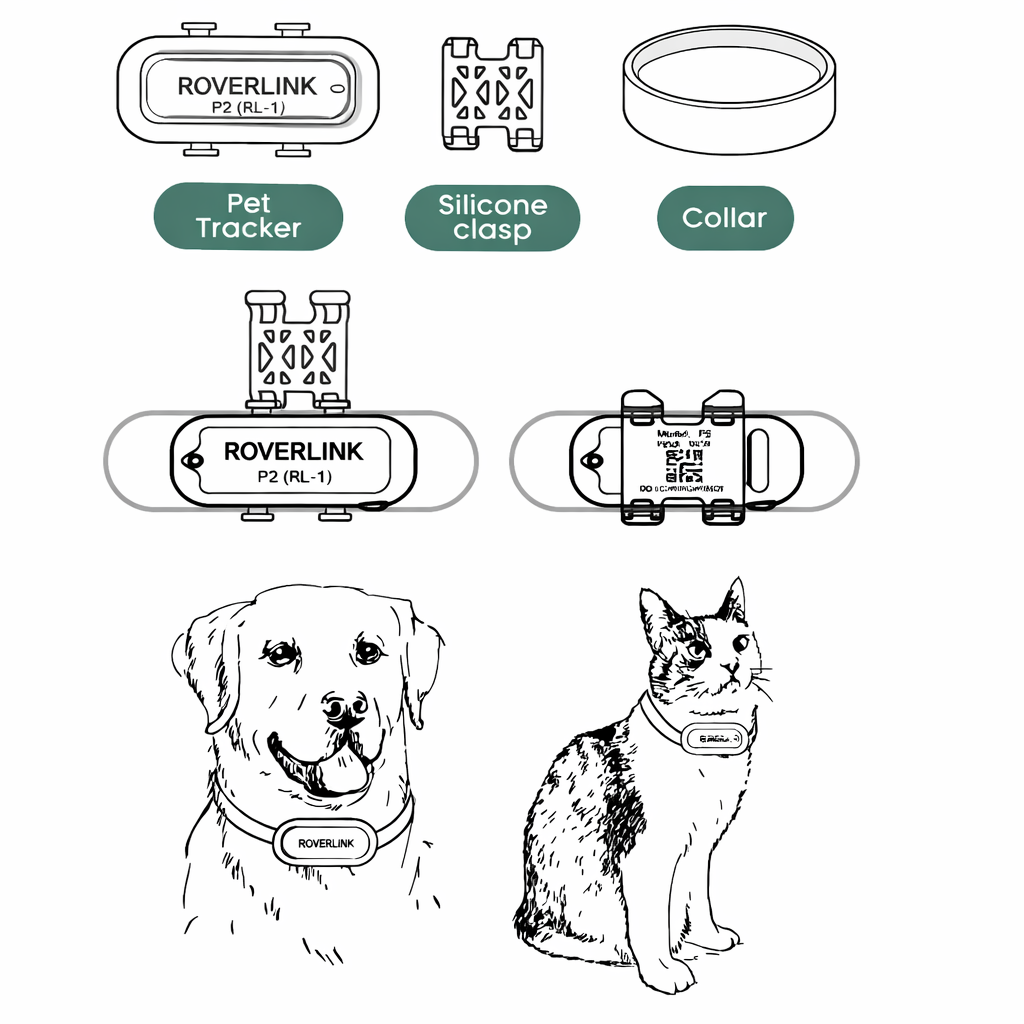
9) Attaching the Tracker to the Collar: Select the appropriate size collar (it might be the one you are already using on your dog), place the collar in the silicone clasp/buckle (use white one if your collar size is large & green one if it's small or medium), and then use the silicone clasp/buckle to secure the tracker on the collar. Make sure those 4 hooks on the tracker completey gets attached to their 4 designated places on the silicone clasp/buckle.
That's it, now you have the confidence of knowing your Pet Dog & they have the Freedom to explore the world!

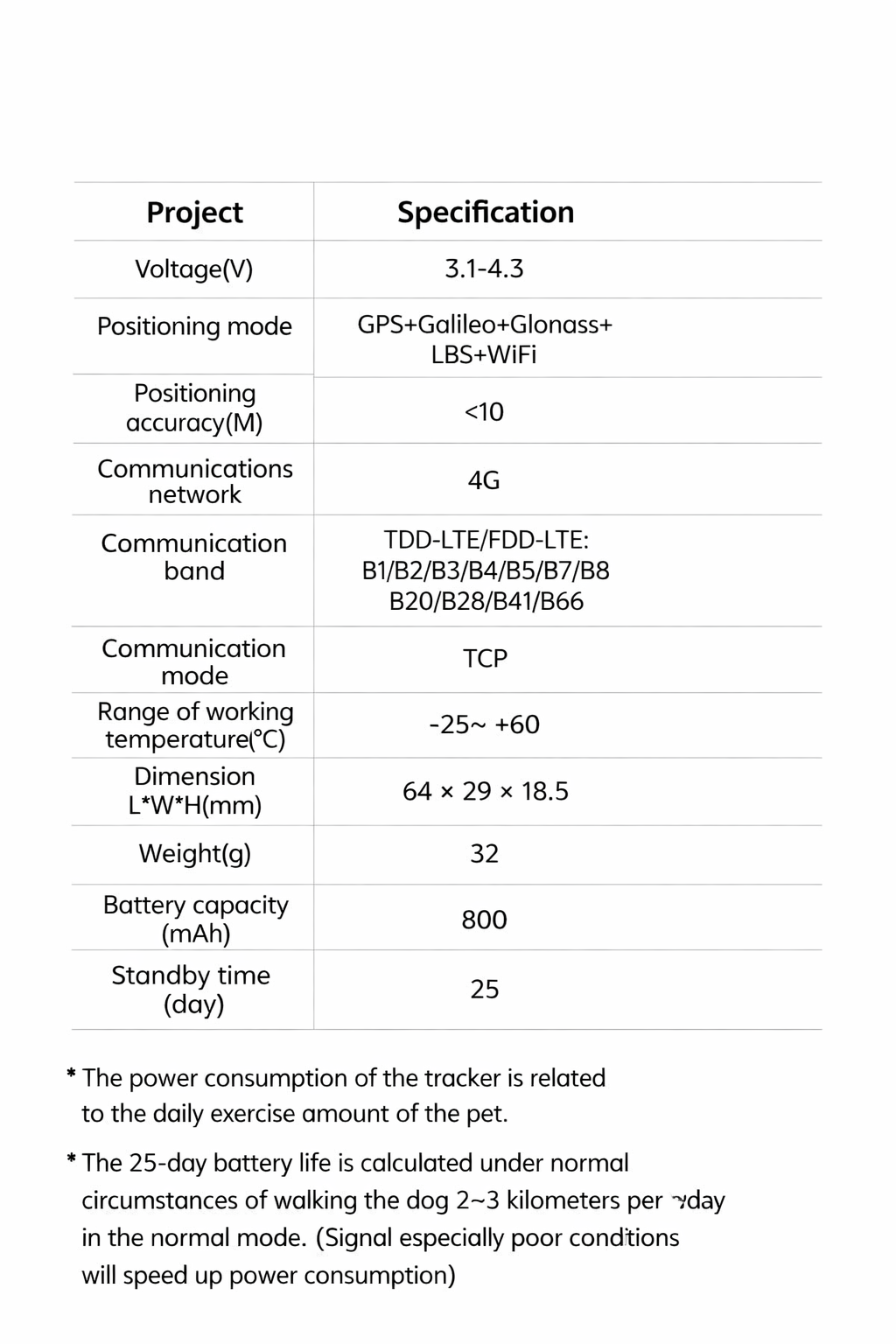
10) Specifications